The phone
The product in your pocket, signal or not
The same GoSmoko you run on a laptop. Log the hours, shoot the photos, Talk it out, write the quote and take the payment where the work happens. Open it on iPhone or Android, add it to the home screen. It saves on the device and syncs when you open it with bars.
Included in every plan, for the whole crew. No extra charge per device.
Offline first, not offline tolerant
The bit everyone else gets wrong
Most trade apps work offline in the sense that they do not crash. GoSmoko works offline in the sense that you would not know.
- Every screen reads from the phone, not the network, so it opens just as fast in a roof space as it does in the yard.
- Work done offline is saved the instant you tap, not when a request succeeds. Force-quit the app and it is still there.
- The app tells you plainly what is waiting to send, and how many changes. No spinner that means nothing.
- When you open the app with bars, it syncs itself. There is no sync button to remember.
- Two people on the same job all week both get their hours counted. Nothing silently overwrites anyone.
- A quote written offline says it will get its number when it syncs, instead of inventing one that clashes.
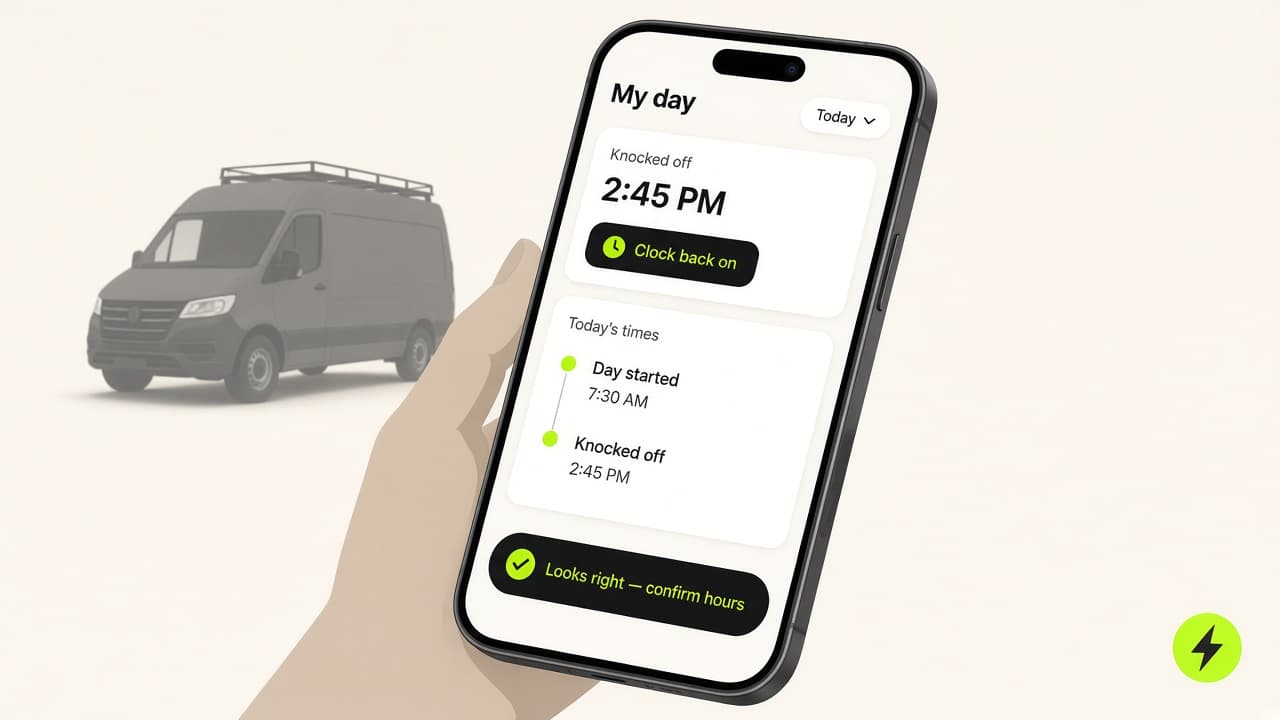
What you will actually do with it
Built for a hand that is holding something else
Every tap target is thumb-sized, every sheet slides up from the bottom, and nothing needs two hands or a spare minute.
Log time in two taps
Preset chips for half an hour through to a full day. Tap, it saves. You do not wait on a spinner.
Photos straight onto the job
Shoot the meter box, the pre-existing damage, the finished work. Photos are held on the phone and upload themselves later.
Talk it out
Tap Talk it out, speak, tap stop. Or type the same words. If there is no signal, the take waits on the phone like a photo, and is read when you open the app with bars.
Quote at the kitchen table
Build the lines, watch the total and the GST update as you go, and save it standing there. It gets its number when you next have signal.
Take the money on site
Record cash or a bank transfer the moment it happens. Paid is on the phone straight away. A card payment link sends when you have bars.
Locked to you
Signing out wipes GoSmoko’s copy on that phone. Put a passcode on the handset. Integration keys (Xero, Stripe) are never stored on the device.
How syncing works
You never press sync
The app syncs on launch and when you bring it back to the front with signal. There is no sync button, and nothing chewing the battery while the phone is locked in a pocket.
You tap, it saves
A logged hour is saved to the phone before the screen has finished animating. Whether the server has heard about it yet is shown in the status strip, not something you wait on.
Signal returns, it catches up
Your work goes up first, then the phone pulls down anything that changed elsewhere. Quotes and invoices drafted offline collect their real numbers on the way through.
Nothing is guessed
Invoice numbers, GST calculations and payment reconciliation stay with the server, so two phones can never issue the same invoice number to two customers.
Questions
The honest answers
Is the phone a cut-down version of the website?
No. The phone is the full product: jobs, quotes, invoices, Talk it out, photos, hours, stock, and pay. The laptop is the bigger canvas. Use it for the week view, reporting, and the office tidy-up. Same business. Same invoice numbers.
Does it actually work with no signal, or just badly?
Yes for the work. There is no separate offline mode to switch on. After the first load, every screen reads the copy of your business on the phone: jobs, hours, quotes, photos waiting to send. Sync runs when the app is open (or you bring it back to the front), not while it sits locked in a pocket. That is enough for a roof space. It is not a Google Maps tracker.
Do I need the AI for it to be useful?
No. Talk it out still works if you are in a hole. The take is kept on the phone and read when you open the app with signal. The AI that proposes a customer, a job and a quote is extra, needs the network, and writes nothing until you accept it.
Is it the same data as the website?
The same business, the same jobs, the same invoice numbers. Quote the job on your phone at 4pm and it is on your laptop when you sit down. There is no separate mobile account and no import step.
What does it cost?
Nothing extra. The app is included in every GoSmoko plan, for everyone on your crew. There is no per-device charge.
What about my customers' data on a phone that gets lost?
Signing out wipes the local copy on that phone. Put a passcode on the device. Nothing about your integrations (no Xero token, no Stripe key) is stored on the handset.
Which phones does it run on?
iPhone and Android. Today that is the home-screen app: tap Get the app and add it. Native store listings are not live yet. It works on a tablet too, though it is designed for one hand.
Put the office in your pocket.
7-day free trial, then Solo $49/mo. No per-device charge, no separate mobile plan.